
Relationship-first growth: Designing a scalable future for boutique consulting firms.
In the world of professional services, your most valuable currency is your reputation and the depth of your client relationships. For small consulting firms, managing these assets effectively is often the difference between a feast-and-famine cycle and sustainable, high-margin growth. In 2026, the best CRM for small consulting firms is no longer just a place to store phone numbers—it is a sophisticated engine for relationship intelligence, project oversight, and automated client nurturing.
As a boutique firm, you face unique challenges. You don’t have the massive IT budgets of McKinsey or BCG, yet you need to provide a similarly seamless client experience. You need a system that minimizes administrative “drudge work” so you can focus on what you do best: providing expert advice. This guide explores the premier CRM solutions tailored for independent consultants and small teams of 1 to 50 people.
1. Why Consulting Firms Need a Specialized CRM Approach
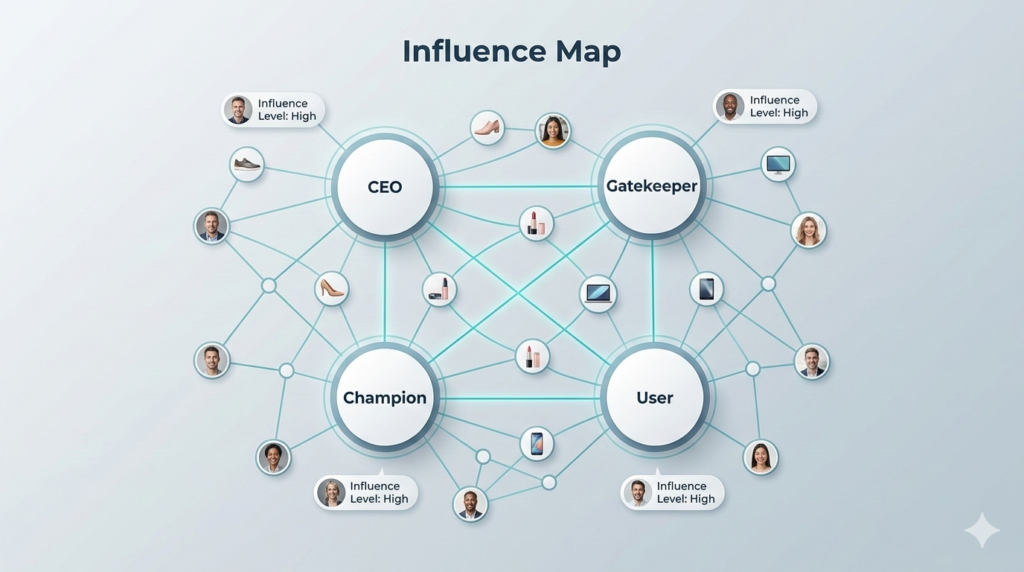
Seeing the big picture: Mapping influence and decision-makers within your client accounts.
Consulting is not a transactional business. It is a long-term, high-touch sales cycle that relies on trust. Standard e-commerce or B2B software often lacks the nuances required for “Relationship Intelligence.”
Beyond Contact Management
Consultants need to track more than just a name. You need to understand the “Influence Map” within a client organization. Who is the gatekeeper? Who is the champion? A specialized CRM allows you to map these connections, ensuring you never walk into a meeting unprepared.
The Shift to Outcome-Based Tracking
In 2026, clients are demanding more transparency. The leading CRM platforms now integrate project milestones directly into the sales pipeline. This means that as soon as a project is won, the CRM bridges the gap between the “Sales” version of the client and the “Service” version of the client.
Eliminating the “Inbox Trap”
Consultants live in their email. Without a CRM, vital project details and client preferences get buried in thousands of threads. The best CRM for small consulting firms brings your inbox into a shared environment where every team member has the context needed to provide world-class service.
2. Essential Features for Boutique Consulting Teams

Buying back your time: How automation eliminates the administrative burden of consulting.
When you are a small team, you cannot afford “feature bloat.” You need a lean, powerful set of tools that directly impact your billable hours and conversion rates.
Native Email and Calendar Integration
This is the baseline. Your CRM must sync perfectly with Google Workspace or Microsoft 365. Every meeting, every proposal, and every follow-up should be logged automatically. Manual data entry is the enemy of the billable hour.
Custom Fields for Specialized Expertise
Whether you consult in HR, Finance, or Digital Transformation, your CRM should adapt to you. You need the ability to track niche data points—like a client’s specific software stack or their fiscal year end—without needing a developer to change the code.
Automated Nurture Sequences
Consultants often lose work not because they aren’t qualified, but because they didn’t follow up. Automating “Check-in” emails for past clients or sending out monthly thought-leadership articles keeps your firm top-of-mind without manual effort.
3. Best CRM for Small Consulting Firms: Top 2026 Contenders
We have selected these platforms based on their ability to solve the specific “pain points” of consultants: complexity, time management, and relationship depth.
Pipedrive: The Activity-Based Leader
Pipedrive is ideal for consulting firms that operate with a very structured sales process. Its visual pipelines make it impossible to forget a deal.
- Why it works: It focuses on the actions that lead to a sale, rather than just the outcome.
- Pricing: Very affordable for small teams, starting around $14 per user.
Monday.com: The Project-Sales Hybrid
Many consultants prefer Monday.com because it allows them to manage the sales lead and the actual consulting project in the same interface.
- Why it works: It’s highly visual and incredibly customizable. If you have unique workflows, Monday can handle them.
- Pricing: Flexible plans that scale perfectly with a growing boutique firm.
Capsule CRM: The Relationship Specialist
Capsule is often overlooked but is arguably the best CRM for small consulting firms that want simplicity. It excels at tracking the “history” of a relationship.
- Why it works: It is clean, avoids unnecessary features, and has one of the best mobile apps for consultants who travel.
- Pricing: Excellent value for teams under 10 people.
4. Measuring ROI: The Financial Case for a CRM
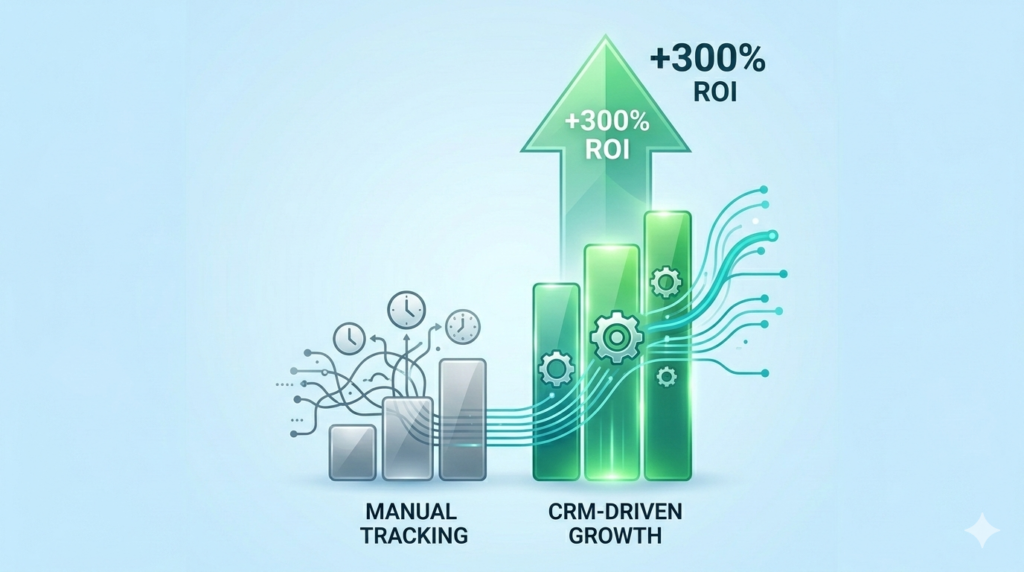
The profitability gap: Visualizing the long-term ROI of organized client
For a small firm, a CRM is not a cost; it is a high-yield investment. Let’s look at the actual numbers for a 5-person consulting team.
Time Recovery
If each consultant saves just 3 hours a week on admin and lead tracking, that is 15 hours per week for the firm. At a $200/hour billable rate, that is $3,000 in recovered billable potential every single week.
Increasing “Win Rates”
Small firms often have a win rate of 20-30%. By using a CRM to automate follow-ups and provide better context during pitches, firms typically see win rates increase by 10-15%. In a consulting context, winning one extra $20k contract pays for the CRM for the next five years.
Protecting the “Client Asset”
If a key consultant leaves your firm, does the client relationship go with them? A CRM ensures the firm “owns” the data and the history, making transitions smoother and protecting your long-term revenue.
5. Real-World Scenario: The Boutique Financial Consultant
Consider a 3-person financial consulting firm. Before a CRM, they managed leads via a shared spreadsheet. They frequently missed follow-ups and had no way of knowing which marketing efforts were actually bringing in high-value clients.
After implementing a tool like Pipedrive or Monday.com, they automated their initial lead response. They used custom fields to track “Asset Value” and “Investment Goals” immediately. Within six months, their conversion rate from “Inquiry” to “Paid Discovery” jumped by 40%.
“The shift from spreadsheets to a specialized CRM was the moment we stopped being a group of individuals and started being a firm.”
6. How to Implement a CRM Without Disrupting Your Practice

Context on the move: Updating your CRM while the conversation is still fr
The biggest fear for consultants is that a new tool will slow them down. Here is the 2026 “Fast-Track” implementation plan.
Step 1: Audit Your Current “Mess”
Before buying software, map out your current sales process. What happens when a lead calls? Who sends the first email? If you don’t have a process, the CRM won’t help.
Step 2: The “Clean” Import
Don’t import every contact you’ve ever had. Start with your current active clients and your “Hot” leads. A clean CRM is an used CRM.
Step 3: Focus on the Mobile Experience
Consultants are rarely at their desks all day. Ensure your team has the mobile app set up and knows how to use “Voice-to-Text” to log notes immediately after a client meeting while the details are fresh.
7. Security and Data Privacy for Professional Services
In consulting, you are often privy to sensitive corporate data. In 2026, your CRM must be a fortress.
- End-to-End Encryption: Ensure your CRM provider uses 256-bit encryption for all stored data.
- MFA (Multi-Factor Authentication): This should be mandatory for all team members to prevent unauthorized access to client records.
- Compliance: If you have international clients, ensure your CRM is GDPR and CCPA compliant.
8. Conclusion: Your Path to a Scalable Consulting Firm

Beyond the horizon: Using relationship intelligence to scale your boutique firm into a global consultancy legacy.
The best CRM for small consulting firms is the one that fades into the background, allowing you to focus on the human connection. In 2026, the technology is smart enough to handle the data entry, the tracking, and the reminders. Your job is to provide the wisdom.
By choosing a system that prioritizes relationship depth over transactional volume, you set your firm up for long-term stability. You move from “chasing work” to “managing growth.” The investment you make in organization today is what allows you to command higher fees tomorrow.
Are you ready to take your consulting firm to the next level? The right tool is waiting to help you build a more organized, profitable, and respected practice.
Frequently Asked Questions About Best CRM for Small Consulting Firms
Q1: Why can’t I just use a spreadsheet to track my consulting leads?
Spreadsheets are static. They don’t remind you to follow up, they don’t sync with your email, and they don’t provide a history of a relationship. As your firm grows, a spreadsheet becomes a bottleneck that leads to missed opportunities.
Q2: What is the average cost of a CRM for a small consulting firm?
In 2026, most boutique firms can expect to pay between $15 and $40 per user per month for a high-quality system. This is a negligible cost compared to the billable hours recovered through automation.
Q3: How long does it take to get a small team trained on a CRM?
For a simple system like Capsule or Pipedrive, basic training takes about 2-4 hours. To see the full benefits and develop a habit, it typically takes 21 days of consistent use.
Q4: Can I integrate my consulting proposals and contracts into the CRM?
Yes. Most leading CRMs in 2026 integrate with tools like DocuSign or PandaDoc, allowing you to send, track, and sign contracts directly from the client’s profile.
Q5: Does a CRM help with LinkedIn prospecting?
Many CRMs now have browser extensions that allow you to pull a prospect’s LinkedIn data directly into the CRM with one click, saving hours of manual copying and pasting.
Q6: Can I manage my project tasks inside my CRM?
While most CRMs focus on sales, tools like Monday.com are designed to handle both the sales pipeline and the subsequent project tasks, providing a unified view of the client lifecycle.
Q7: What is “Relationship Intelligence”?
This is a feature in modern CRMs that analyzes your communication patterns to tell you which relationships are “going cold” or who in your network is the best person to ask for an introduction to a new lead.
Q8: Is my data safe if I use a cloud-based CRM?
Reputable CRM providers use enterprise-level security that is often much safer than storing data on a local computer or a private server. Look for SOC 2 Type II certification for maximum peace of mind.
Q9: Can I track my “Billable Hours” in a CRM?
Some CRMs have built-in timers, but most firms prefer to integrate their CRM with specialized billing tools like FreshBooks or Harvest.
Q10: What is the best CRM for a solo consultant?
For solo practitioners, simplicity is everything. Capsule CRM or the “Starter” tier of Pipedrive are excellent choices because they don’t require complex setup or maintenance.
Q11: How do I handle “Referral Partners” in my CRM?
A good CRM allows you to tag contacts as “Referral Sources.” You can then track which partners are bringing in the most revenue and ensure you are nurturing those critical strategic alliances.
Q12: Can AI help me write my consulting proposals?
Many 2026 CRMs have built-in AI assistants that can draft follow-up emails, summarize long email threads, and even help you structure the initial sections of a consulting proposal based on your notes.